Install it here: xFang
Whenever I write case notes, tickets, or incident reports, I defang every indicator I paste in as a matter of best practice, so nobody accidentally clicks or resolves something malicious. That usually means hand-editing every dot and bracket, which is an unacceptable productivity drain.
I built xFang as an in-browser extension to defang and refang indicators right where I’m typing, with a single shortcut or right-click.
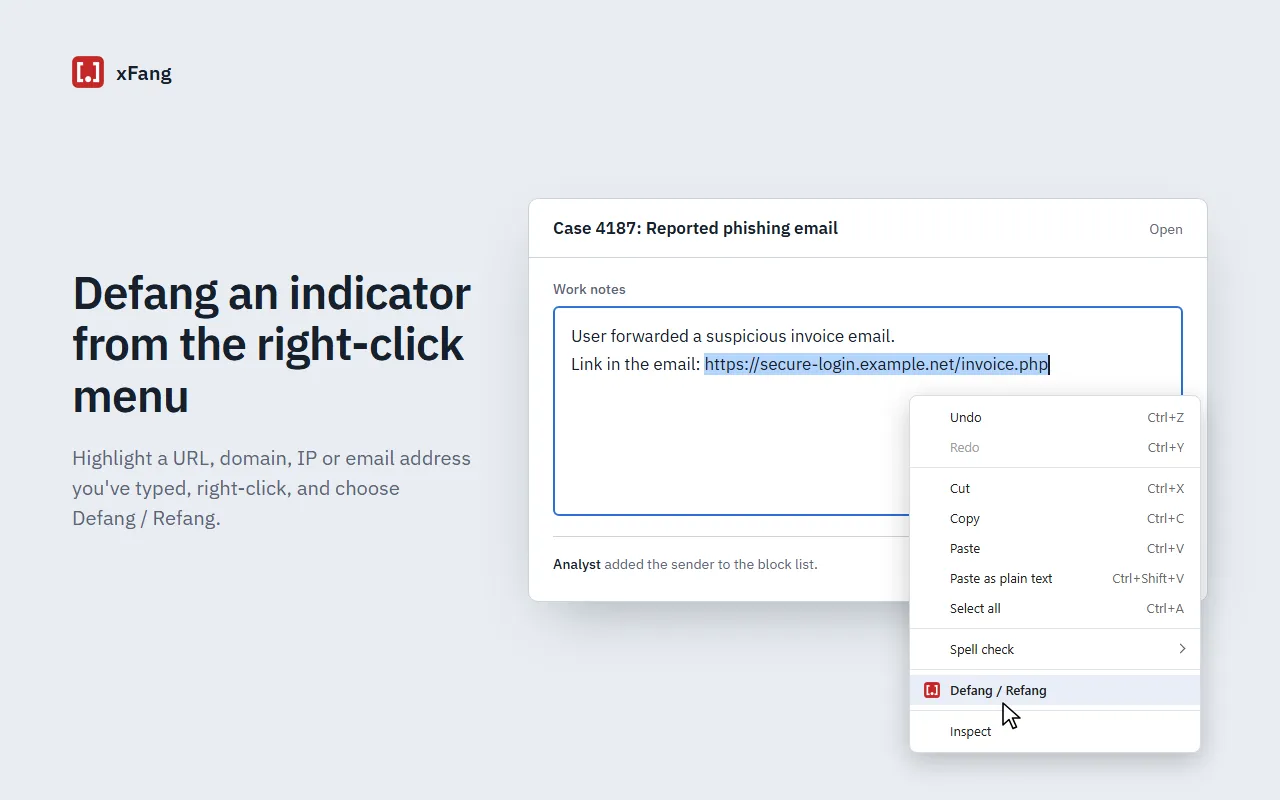
Highlight an indicator you’ve typed, right-click, and choose Defang / Refang.
How it works
Select text in a text box, textarea or rich-text editor, then either press Alt+Shift+D or right-click and choose Defang / Refang. xFang picks the action for you:
- Defang if the selection contains any live indicator: a URL, domain, IPv4 address or email address.
- Refang if everything in it is already defanged (
[.],hxxp,[://],[@],[dot],(.), etc.).
Doing it twice flips the text back. If the selection has nothing to convert, nothing happens.
| Original | Defanged |
|---|---|
https://evil.example.com/a.php |
hxxps[://]evil[.]example[.]com/a[.]php |
10.0.0.1 |
10[.]0[.]0[.]1 |
phish@bad.com |
phish[@]bad[.]com |
If you select a whole sentence or note, only the indicators in it change and everything else you wrote is left alone. It sounds extremely simple (and low-tech), but it has saved me so much time across every case.
The edit goes through the browser’s normal text insertion, so you can still hit Ctrl+Z to undo it, and form frameworks register the change as if you’d typed it yourself.
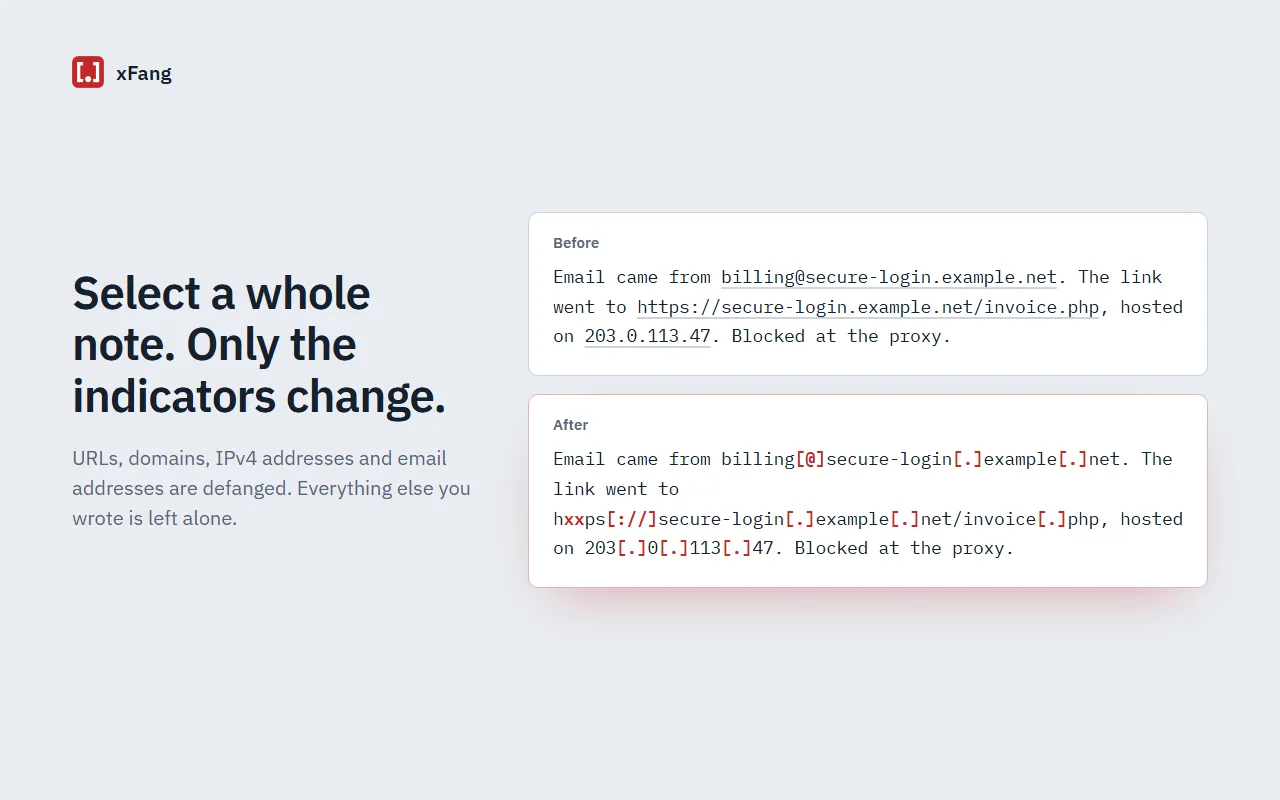
Select a whole note and only the indicators change.
Install
xFang is available on the Chrome Web Store and the source is on GitHub.
To change the shortcut, go to chrome://extensions/shortcuts. If another extension already uses Alt+Shift+D, Chrome leaves the shortcut unset and you’ll need to pick one there.